

Description
This module allows therapists to manage their list of clients and families, as well as consultations and subscriptions.
Concepts
Dolibarr third-party clients are renamed "Families," and the third party's contacts/addresses are renamed "Clients" (members of the family).
The following objects have been added:
- Consultation: references a Dolibarr service and allows for recording session details (start and end times) and payment information.
Consultations are linked to a Client (Contact). - Subscription: allows for recording payment for a series of consultations.
Subscriptions are linked to a Family (Third Party) so that every member can benefit from them.
Practice Tabs and Menus
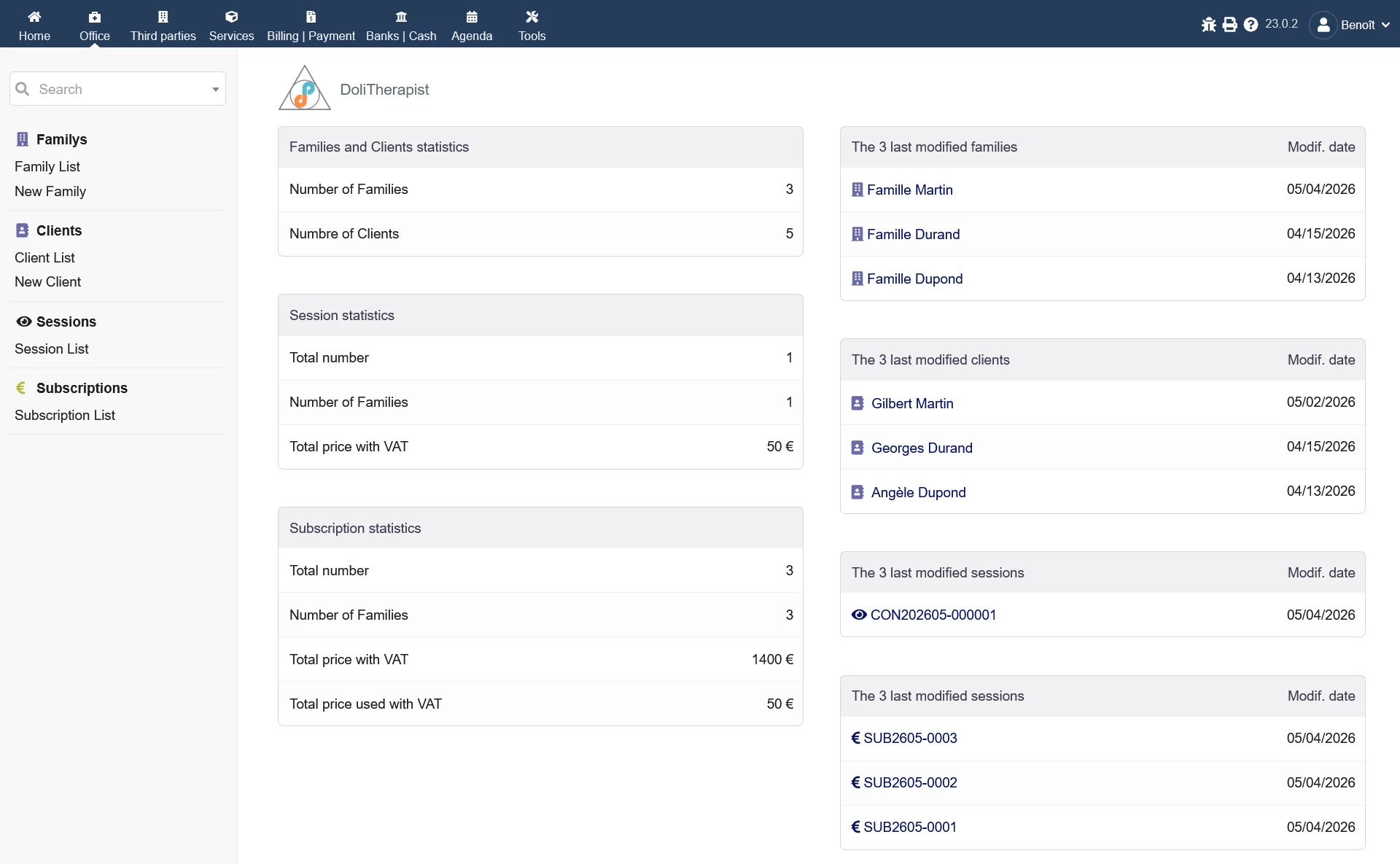
The new "Practice" tab appears in the top-left corner.
It displays statistics regarding Families, Clients, Consultations, and Subscriptions.
The left-hand menu allows you to:
- view the list of Families.
- add a new Family.
- view the list of Clients.
- add a new Client.
- view the list of Consultations.
They can also be viewed via the "Consultations" tab on a Family or Advance record.
New Consultations can only be added via the "Consultations" tab on the Client record. - view the list of Subscriptions.
They can also be viewed via the "Subscriptions" tab on a Family record.
New Subscriptions can only be added via the "Subscriptions" tab on the Family record.
Subscription
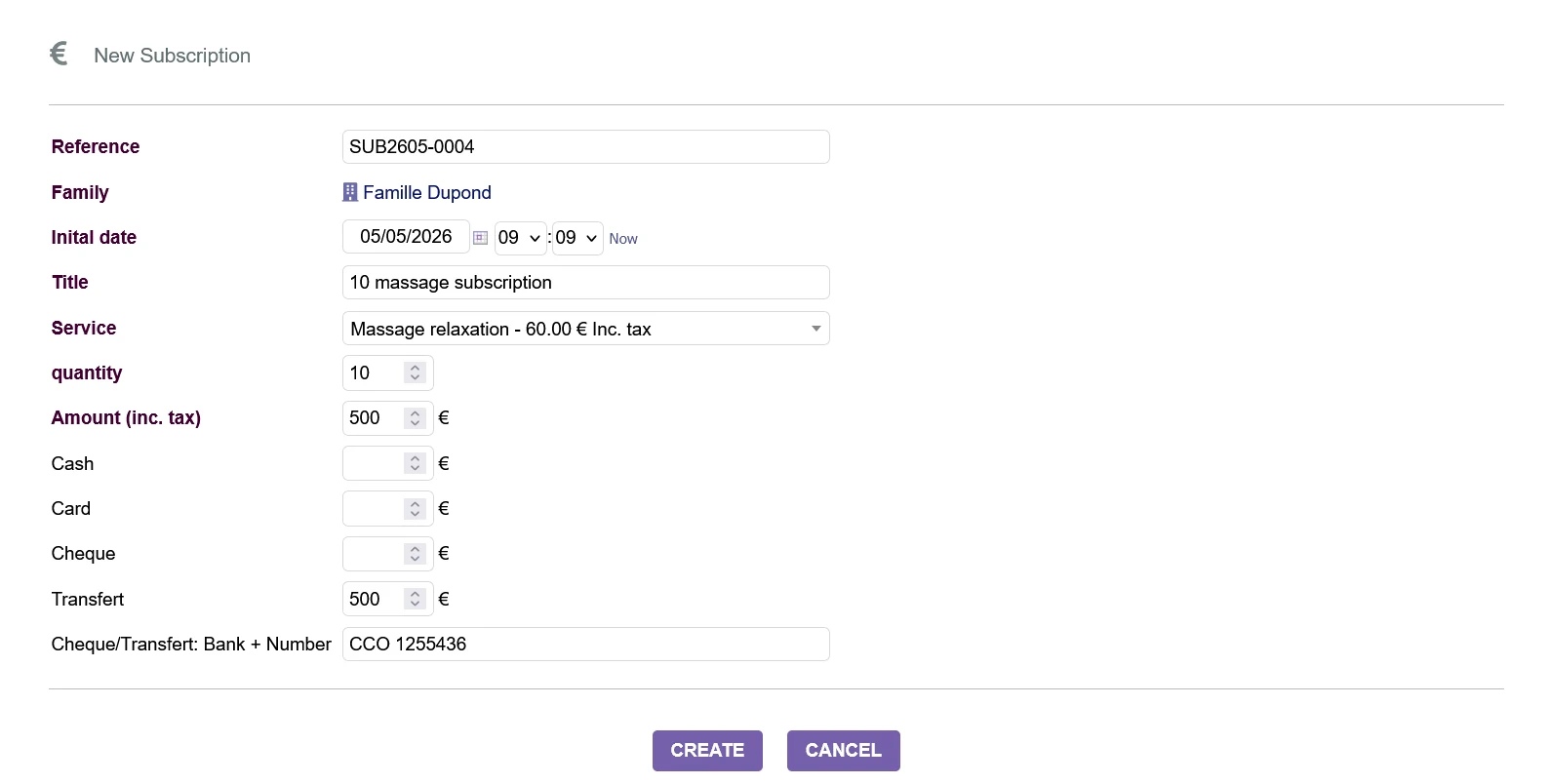
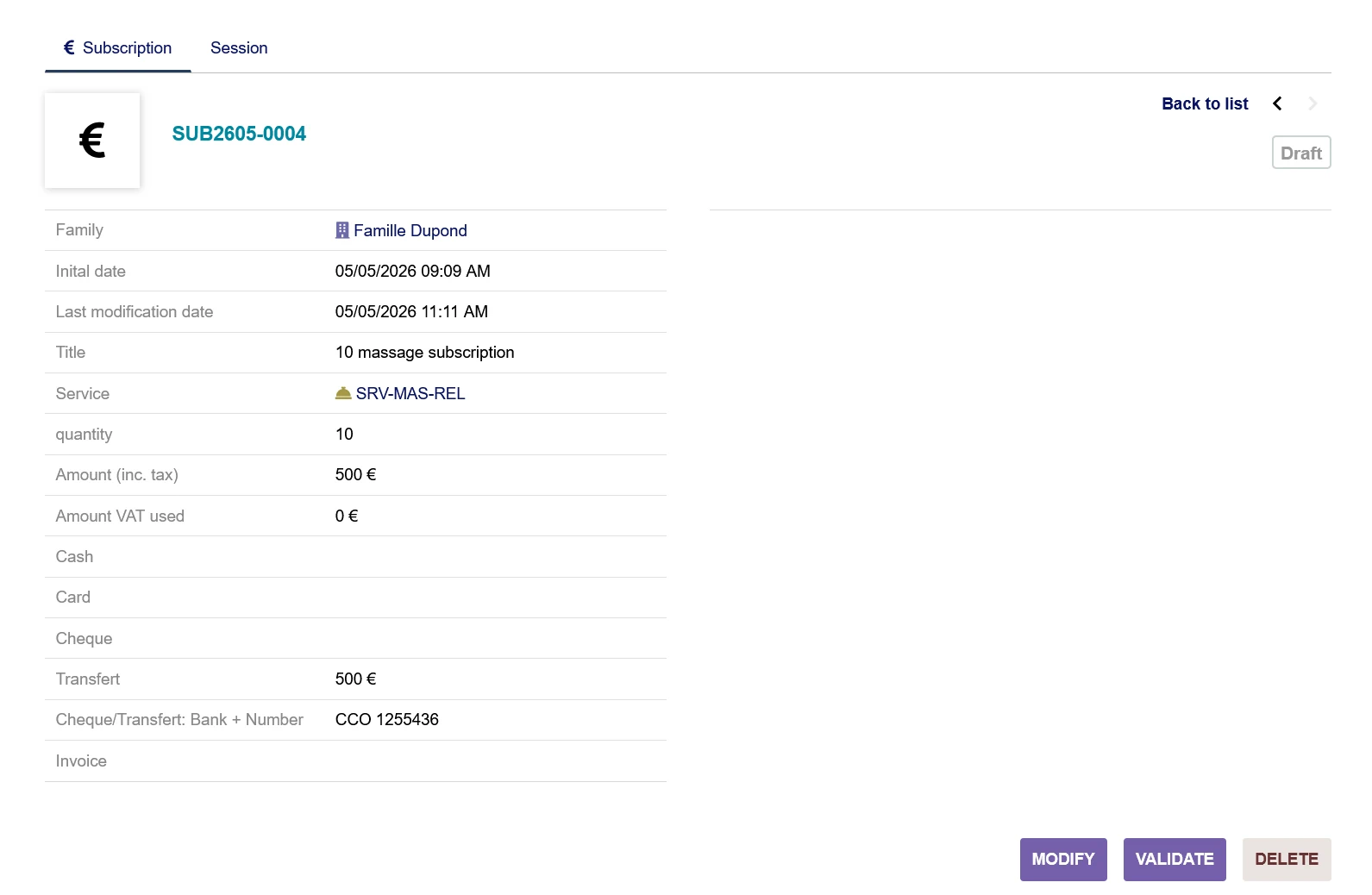
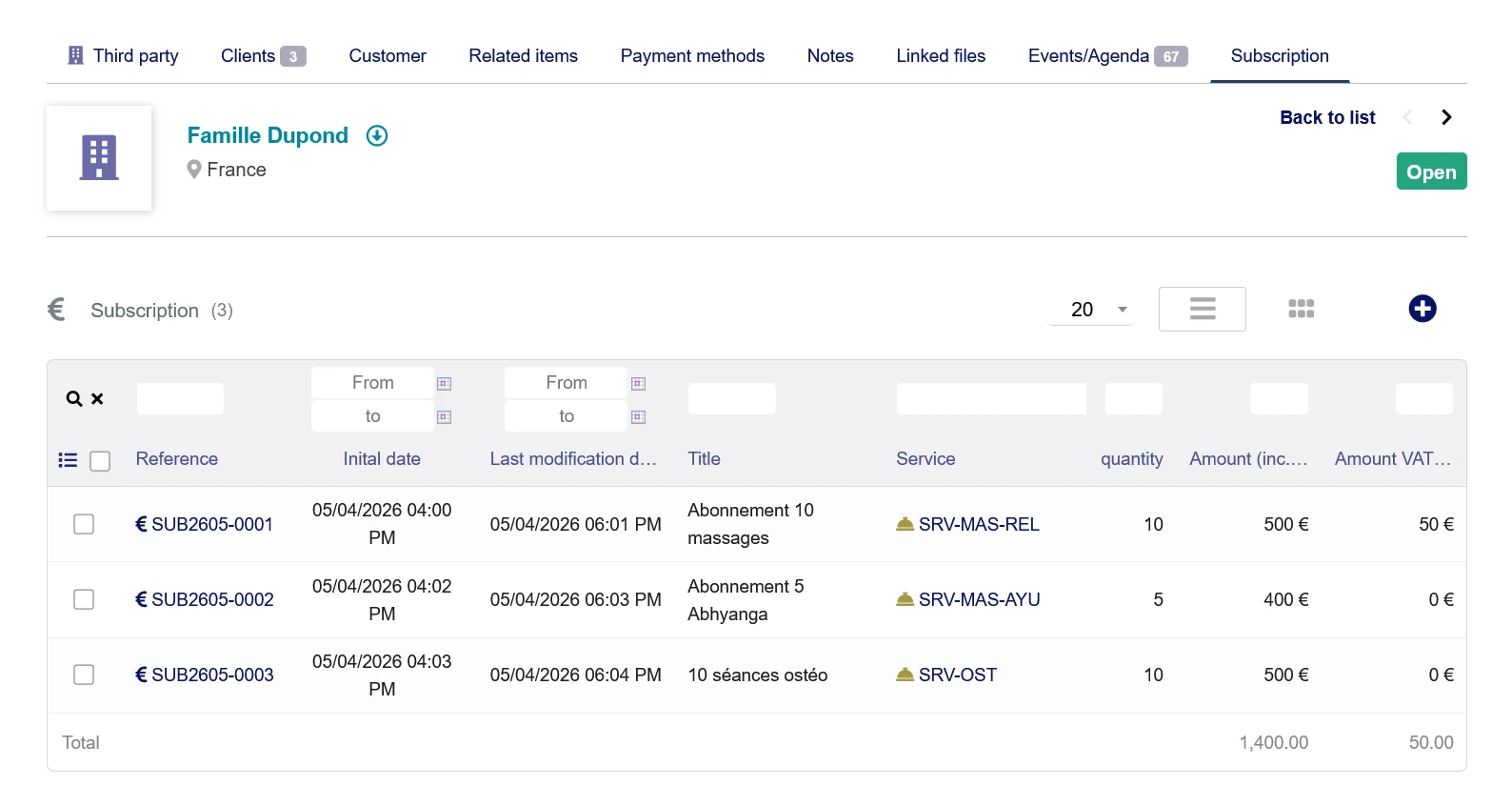
An subscription is defined by:
- a category (automatically populated)
- a reference
- an initial creation date
- the last modification date
non-editable and automatically updated with each modification
not visible on the creation screen - a title
- a service
The subscription amount is automatically populated with the service price (incl. tax) multiplied by the quantity, as is the field corresponding to the default payment method (see Module Configuration) - a quantity
The subscription amount is automatically updated based on the service price (incl. tax) multiplied by the quantity, as is the field corresponding to the default payment method (see Module Configuration) - an amount
The field corresponding to the default payment method (see *Module Configuration*) is automatically populated with the amount. - the amount used
non-editable, not visible during creation, and updated when consultations are paid for
Not visible during creation - the payment breakdown: cash, check, card, bank transfer
- the bank and the check or transfer number
- the invoice once the subscription has been settled (PAID status)
Not visible during creation
You can also add your own information (see the module configuration section below).
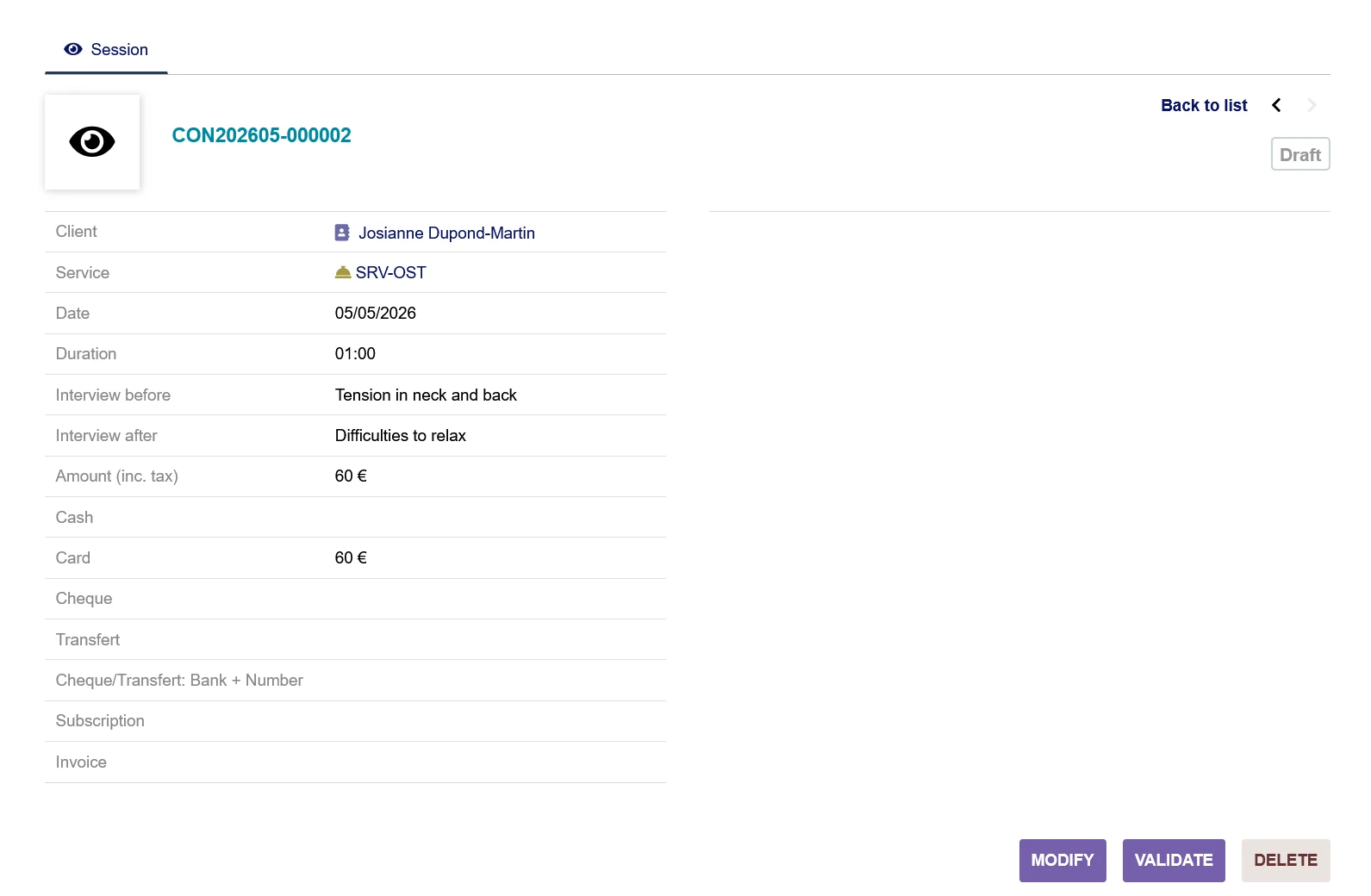
Session
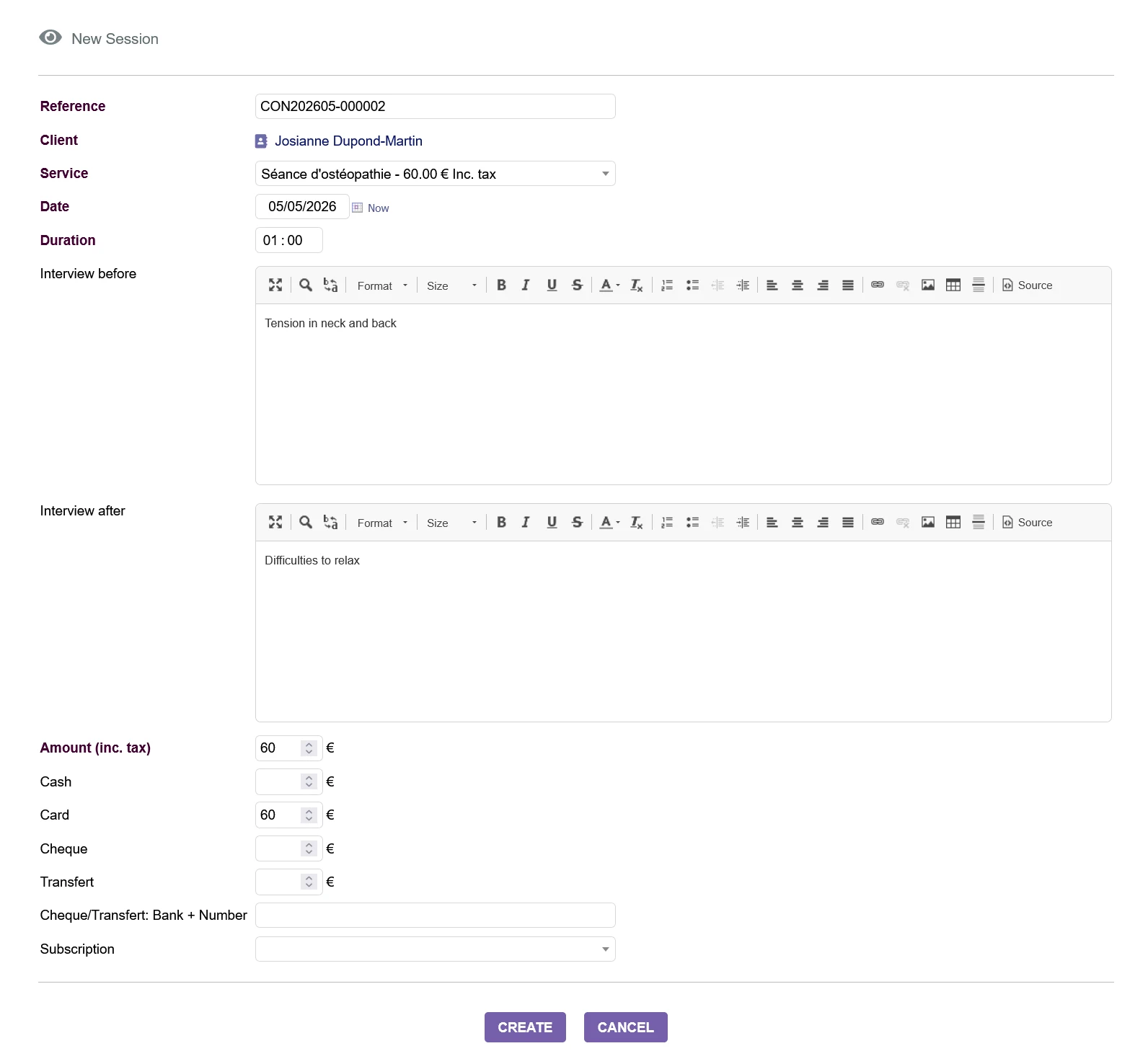
A session is defined by:
- a client (automatically populated)
- a reference
- a service
The session amount is automatically filled with the service's price (including tax), as is the field for the default payment method (see Module Configuration) - a date
- a duration
- a summary of the pre-session discussion
- a summary of the post-session discussion
- an amount
- payment breakdown: cash, check, card, bank transfer, advance payment
When an advance payment is selected, if the consultation amount exceeds the remaining balance of the advance, the excess amount is automatically entered into the field for the default payment method (see Module Configuration) - the bank and the check or transfer number
- the invoice once the consultation has been settled (PAID status)
You can also add your own custom information (see the module configuration section below).
Familly (Third party)
No information has been added to the standard Dolibarr fields.
You can also add your own information (see the configuration section of the Dolibarr Third Parties module).
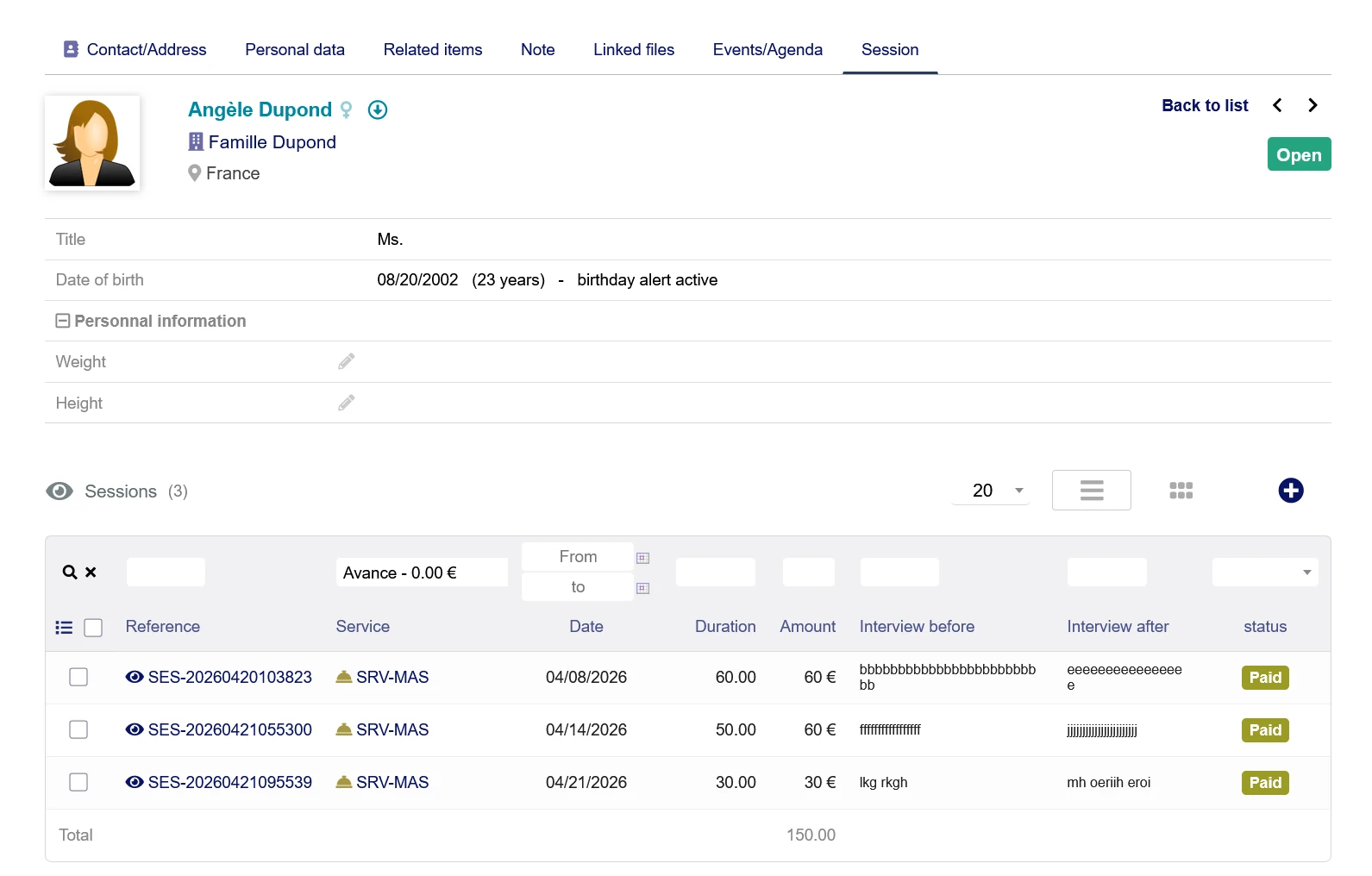
Customer (Contact/Address)
In addition to the standard Dolibarr customer information (contacts/addresses), the following have been added:
- weight
- height
You can also add your own custom fields (see the configuration section for the Dolibarr Third Parties module).
Statuses of Subscriptions and Consultations
Subscriptions can have the following statuses:
- Draft: all information can be modified
- Validated:
- the Subscription can no longer be modified (if the setting "Modify Consultations/Subscriptions if validated" is not checked)
- All information can be modified (if the setting "Modify Consultations/Subscriptions if validated" is checked)
- Paid
- the Subscription can no longer be modified (if the setting "Modify Consultations/Subscriptions if validated" is not checked)
- Only the title can be modified (if the setting "Modify Consultations/Subscriptions if validated" is checked)
- Closed: when the amount used equals the Subscription amount (the Subscription can no longer be modified).
Consultations can have the following statuses:
- Draft
- Validated
- the Consultation can no longer be modified (if the setting "Modify Consultations/Advances if validated" is not checked)
- All information can be modified (if the setting "Modify Consultations/Advances if validated" is checked)
- Paid
- the Consultation can no longer be modified (if the setting "Modify Consultations/Advances if validated" is not checked)
- Only the duration and interviews can be modified (if the setting "Modify... Consultation/Advance if approved" is checked)
Module Configuration
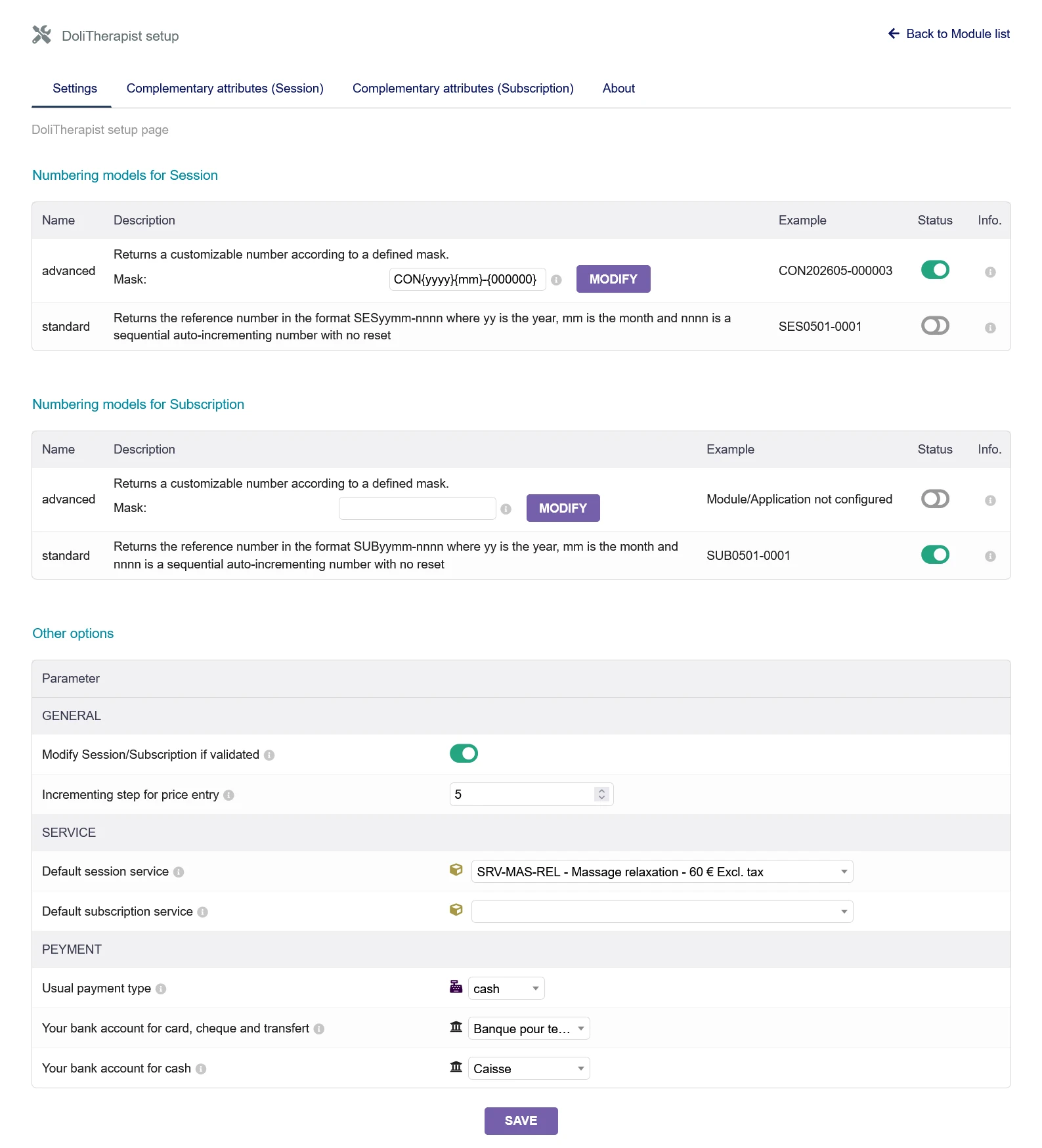
The following settings allow you to customize the module's operation to your needs:
Numbering patterns for Subscriptions and Consultations
- Advanced: Returns a number that can be customized based on a user-defined mask.
- Standard: Returns the number in the format SESyymm-nnnn, where yy is the year, mm is the month, and nnnn is a sequential counter that does not reset to zero.
Other options
- Modify validated Consultations/Advances
If checked, it will be possible to modify information even after Consultations and Advances have been validated or paid (excluding payment details once payment has been made). - No price incrementation
Using the increment/decrement arrows next to price fields increases or decreases the price by - Default service for consultations
When creating a consultation, this service is automatically selected, and the amount is populated using the service's rate. - Default service for subscriptions
When creating a subscription, this service is automatically selected, and the amount is populated using the service's rate. - Standard payment type
If specified, the amount for Advances and Consultations is automatically assigned to the designated payment method. - Bank account for cards, checks, and transfers
The bank account used for non-cash payments. - Bank account for cash
The bank account used for cash payments.
Translation
Translations can be completed manually by editing the files in the module's langs subdirectories.
Installation
Prerequisites:
You must first install the Dolibarr ERP & CRM software.
You can download it from the Dolistore.org website or obtain a ready-to-use cloud instance from en.doliway.fr.
Using a ZIP file and the Graphical User Interface (GUI)
The module comes as a ready-to-deploy ZIP file named module_dolitherapiste-version.zip (for example, if you download it from a marketplace like Dolistore),
go to the menu "Home > Setup > Modules/Applications > Deploy/Install external module" and upload the ZIP file.
Final steps
From your web browser:
- log in to Dolibarr as a super-administrator
- go to the menu "Home > Setup > Modules/Applications"
- you should be able to find the DoliTherapist module, enable it, and configure it according to your needs.
Licenses
Main code
GPLv3 or (at your option) any later version. See the COPYING file for more information.
Documentation
All text and "About" content is licensed under the GFDL.